Yes, but also in theory a modular PSU would be less ideal than a prewired one because of the slight potential losses/connectivity with modular designs. Can’t win with audio lol
If you’re getting fancy internal wiring, just build your streamer already
Yes that’s a big immediately apparent one, there have been cards people complain about coil whine with, and a decent amount of the time it’s honestly down to a subpar psu lol
So by coil whine are you talking about an audible whine like standing near it (sometimes variable depending on what you’re doing on the pc), or a whine in the signal path through headphones/speakers/etc
So i hear it through my headphones when im playing something at 120fps.
I thought initially it was my card, but then I switched to an older graphics card, and i hear that incessant buzzing. It changes tone everywhere I look
Beef further fiddling with my PC. The SOtM card made a difference in an unexpected way. The SOtM internal USB card, was a markedly improved experience over the built in MB USB. The Ethernet upgrade is simply removing noise, it is dead silent to the point that I wasn’t aware of there being noise before and I was doubtful that I’d see much improvement.
Unlike the USB card where there were sonic improvements, this is just DEAD quiet, unsettlingly dead quiet where it would take a > $2K streamer to match. It hasn’t been easy as I’m using a very space saving PC case and a mini ITX MB; installing stuff has just required a lot of customization, supremely careful cable routing, modification of card brackets and all sorts of adapters and extensions. But that’s my problem for using a pint sized case.
That said, it’s been a worthwhile effort. I don’t have to think while using my PC, WASAPI drivers have come a long way, zero issues switching or having applications take exclusive control of audio playback and priority.
I will be upgrading from the iFi wall wart PS I’m currently using. Waiting on cabling but looking forward to see what improvement I can get from better external power to the internal cards.
The biggest improvement has been a quality of life, I don’t don’t have to think about PC sound vs. listening to music on the PC. It’s just one activity.
I’m just not going to do it, but I can help but think of the improvement gains should I remove the GPU and move that to an external eGPU chassis with its own PS. I can’t entertain that because my current MB doesn’t have USB 4.0 but it would certainly be a consideration when I upgrade my existing MB.
I would highly suggest a JCAT or if not at least a basic USB isolator like an Altor/Jack or anything based around that chip to start, pick your preference with linear psu and see if that helps to resolve the issue
I would be really curious if you do that, since you’d have a big win in terms of removing immediate noise and reducing system load, but I wonder how the load on the motherboard USB and how the underlying differences to make that work would play a part
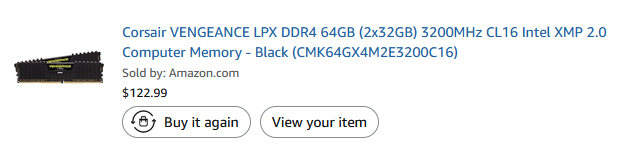
I know that was the thought. The biggest hurdle right now to anything PC related is the fuckinggodamanedmutherfuckershitdickpiss price of anything with memory in it. I currently have 64 Gb of DDR4 and it would be over $1k to get that much of DDR5. I swear I paid $300 bucks for the 64 Gb when I originally got it.
I think your system would be a good fit for the JCAT, on the PSU side of things, I’d either personally go for a Fidelizer Nikola or an upgrade to that an Uptone JS4, I personally liked both more than the Optimo3 for the price, but it does depend on what way you want to lean your system.
The JCAT PSU was more on the warm, rich, darker side of things that chilled everything out, and I didn’t really like the sound in my setup even though the bass and body was really nice. I thought the JS4 offered largely better technicalities with a more even overall signature, but maybe more forward than true neutral was the main tradeoff (I also feel like it has the potential to feel slightly congested in some tracks, but not to a worrying degree for the price). I really liked the Nikola2 for the price for really great timbre and texture, although it’s not as much slam or space as some of the others and maybe not as speedy sounding as I’d like.
I’d really like to try a Paul Hynes or Sean Jacobs psu with it, that might be really killer, but I’m happy enough with the UpTone that I don’t want to mess with it (and would rather put that money elsewhere right now)
I had a SOtM switch fall on my lap. It had been up for sale on USAM a good long while for $850. I asked the guy to give me his best price cause I didn’t want to insult him with a low ball offer. This one is full tilt with the caps, shielding, cabling and the EX clock so $1750. He asked me for $500 plus 20 bucks for shipping. I said, okay. lol
Been continuing to implement best practice not super high dollar improvements to my HP/desktop set up. addressing vibration, all of the power etc. But this writeup on cleaning up the PC got me working on not just the PC but the networking around the desktop that also includes my work laptop and all of its associated accessories.
Anyway, using the SOtM switch, it’s hard to put into words the improvement because it’s just a further refining of everything that’s good. It’s also been the first time I’ve ever heard an improvement with a better Ethernet cable didn’t go crazy, just a better quality WireWorld starlight I’ve had for a long while. Again, nothing earth shattering considering the improvement but certainly worth the $500 bucks dumped into the switch.
That said, it hit me. What I’ve got now after all of the clean up efforts is a system that’s giving me those great late night listening sessions vibes we’ve all experienced at times. But now I find I’m getting them all of the time!
Damn you, I’ve now been thinking about going for a network card, along with a switch, this might be the excuse lol. I’ve been thinking a lot about your comment of noise, and yeah even if I’m not steaming it’s probably still pretty worthwhile. I’m still thinking about what direction to go through
I normally just disable my network card when listening, but it would definitely be convenient not to lol
I just put together a script to disable as much as I possibly can, basically a “serious” listening/recording mode lol. Such as disabling gpu and using igpu output (and cutting resolution and color space), disabling network, killing more background processes, changing performance modes, and so on. Lets me get away with making some changes that aren’t normally usable for typical computing/usage but are still reversable within the OS, is convenient lol.
I don’t use it all the time, only when I’m being critical, but if I could find a way to get closer to that experience without having to do that, it would help. Otherwise I keep all my other tweaks/changes active all the time
I have all my music being played back through the local drive, because it sounds better, but also because I haven’t yet gotten the energy to recreate my storage server and have been fine enough with the small collection I have on my pc in the meantime lol
I keep coming back to this thread because I keep finding low hanging fruit. I’ve been using an Nvidia 3060 Ti for a few of years now. I don’t do heavy gaming and honestly haven’t had time for it in quite some time. So I recently bought an RTX 3050 6 gig… (I know, don’t laugh) because it’s got a 70W TDP rating versus the 3060 Ti 200 W TDP rating. It doesn’t even have an auxiliary power connector. When was the last time you saw that? lol
Anyway, I tried to just remove the card but my MB simply won’t boot without an external GPU and the bios doesn’t give me the ability to change the boot default video. But dropping down to this, showed yet another refinement in the audio output from the PC.
At this point I’ve been trying to get a sense of how much of a difference all of the network and PC hardware optimization has made so I bought a decent streamer, a Pi Design Mercury V2 and after some comparison, I’m blown away by how much the PC audio has improved.
Honestly this is a fool’s errand as the amount of money and effort is not something that any sane person would do and it does require hefty technical knowledge. But there is a nice quality of life improvement that is valuable intangible to it all. Simply not having to worry about switching inputs or constantly fiddling with volume output. Switching between an audio app and YT videos is seamless and the WASAPI audio has really grown up, with zero glitches switching between exclusive control application that are set to use priority.
If you use your PC for gaming, this is NOT for you, a $300 dollar streamer would be far easier and just as effective as all of the time, effort and money spent optimizing.
So, I’ve been experimenting with SSDs for an OS drive, and to keep things short, if you want the best balance of speed, capacity, and sound, I would highly suggest keeping your eye out for a pSLC m.2, either gen3x4 or gen4 nvme if you can. True SLC nvme are extremely hard to get in m.2 format, and also extremely costly or very old, so the most modern choice in my mind is a pSLC mode TLC or MLC based m.2. Also not an easy find, but easier than others. In terms of why this is potentially better, there’s the latency, resiliency, and power benefits that make it appealing for playback. I ended up getting lucky with a SSSTC CL4 pSLC drive, there’s a few others out there, but not many, I think this one uses kioxia BiCS5 4 plane nand and a silicon motion controller.
Regardless of how, in my setup it did give me a mild performance boost in my current setup, even though I’m using full memory playback and have focused on reducing as much drive activity as possible, I guess just having the OS itself on it was enough to give improvement. As a test, I switched to playback from the disk instead of memory, and then back to a samsung 9100 pro with disk playback, and while RAM playback was the best on both, the disk playback was noticeably better with the pSLC drive, and the overall best sound was still with the pSLC + memory playback.
If this is truly worth the hassle and limitations will depend on the system, if you are playing back from disk and don’t have the ability to use ram playback, I would highly suggest considering going pSLC. If you have a quality ram playback option and have done a lot of optimizing on your current quality system/disk, while I would still say this will give you an improvement, you’ll have to think about how the storage size and cost/availability limitations will suit your system. I’m keeping mine even though I’ve now only got 320gb for my boot drive, I still have the 4tb drive for everything else. That being said, I wonder how a single vs having 2 drives connected at once impacts things, I have yet to test that so remains to be seen since ideally you don’t want more than 1 lol
Was using Foobar2000 with the files on my PC, but after my RAM died (luckily under warranty), I had to use the laptop for a while and because I had less space there, I rather just played everything off my NAS just like I would from a drive. I kind of continued this even after I got my RAM replaced, testing both file locations here and there. It’s a trade-off either way, there’s better transients and timing with them on the PC’s SSD, but it’s smoother, with better timbre and a better background coming from the NAS. I know it probably sounds pretty bad to you guys to be playing music files from the HDD on a NAS and that it’s comparable to having them played on my PC speaks pretty badly to the noise situation in my PC, but it is what it is. Gotta have performance for my PC, gaming is a big chunk of leisure time and a large reason for audio in the first place. Gotta say that I now realize that for example, the fact that older AMD cards have high idle power consumption definitely isn’t helping. My 7900 GRE for instance uses about 50W idle on average and spikes plenty. At least it’s better than it used to be since recent driver updates, it used to be more like 70-90W years back.
After M0N’s last post here, also realized that I hadn’t set up Foobar2000 properly again after I got my RAM replaced and so I put in a healthy file size buffer and time buffer which helped. Got more low-level info, a better background and the timing back. The presentation feels a little colder now, but it’s overall more transparent so it was worth it.
Now, a thought that came to mind would actually be to try something like the LAN iSilencer+ into my PC. Could be meaningful considering the way I play files, and a fringe benefit could be that it helps the sound quality of whatever video I watch online and whenever I’m in voice chats, or even potentially for online games. Fact is that YouTube is inescapable, there’s content coming in from there that one’s gotta watch and some music you can’t find almost anywhere else. Could be worth it for that alone lol.
I hate to say it, but as much as I love foobar, it just doesn’t really hold up sonically compared to a lot of other options. I used to use it for years until I realized both how much effort I was putting in to making it sound better, along with how it was holding me back.
These days, I’ve settled on JRiver being the best usability and sound combo for me on Linux, with how much work they’ve put into the playback engine in recent versions especially with full ram/memory playback, I have been very happy with both the sound and featureset. If I was on windows, I’d be using JPLAY or possibly JRiver as well, but I’ve also really liked HQPlayer or Winyl as well. Sometimes I’d just listen to tracks in Sequoia because of how good they sounded through that playback engine lol. But really it comes down to your system and preferences, I just think you’re starting with an inherent disadvantage sound wise if you want to stick with foobar. There are some things you can do it, but they range from simple to more intensive with varying results depending on your hardware, I’d rather just start off on a more solid foundation and tweak from there.
I’d definitely give some other players a shot and see if you notice anything different and see what you end up preferring. If you really wanna hear how different things can be, giving a full OS music player a try will be pretty drastic, but most people don’t feel like dual booting a different OS to listen to music and kinda defeats the point of trying to keep the balance between computer and streamer lol
Just went and tried a few others… Yeah, Foobar’s not the best. Winyl improved on it instantly, tracks come out more resolved, more spacious and dynamics are more fluid and free. Foobar kind of sounds stuck/stiff and hard by comparison, although it has good transients and heft while Winyl sounds a little softer. Surprising to me, since I actually thought that Foobar had improved in recent updates and Winyl’s last was in 2018, and Winyl isn’t even buffering the tracks in memory (double-checked that through task manager). Others I tried and didn’t like were: Fooyin (sort of a fork of Foobar and sounds similar but maybe worse), DeaDBeeF (lacking detail and edge), MusicBee (compressed and bad spatially), MediaMonkey (hazy) and WinAmp (better than I thought but lacks fine resolution and also heft in the bass).
Once I adjusted JRiver a bit (free trial version), including memory playback, it sounds the most tight, neutral and resolving. Gotta admit it’s probably the best. Personally I actually really like the sound of Winyl, I wish it had been more updated and feature-full.