Recently upgraded some network stuff, replaced the ultraRendu with an opticalRendu, added another FMC and psu for etherRegen
Cant wait for the plixir to come in as my chain has a much clearer and defined soundstage and a better background
FULL CHAIN: TRENDnet Switch MokerLink FMC EtherRegen(Teddy Pardo psu,SR Foundation Ethernet out) MokerLink FMC OpticalRendu(Plixir BDC elite psu coming soon,Audience StudioOne USB) Exogal Comet+(TWL Power cable,Cerious Matrix RCA) LTA MZ3(TWL Power cable) D8kp(Brise Mikumari ref.2)
Sound is clean with a touch of sweetness and great black background. The d8kp is pretty well rounded on this setup doing well with all genres I listen too.
Wifi noise enters over the air, something acting like an antenna and picking up noise. I’ve read from folks testing that noise can even be picked up through an Ethernet cable connected to the downstream source even if it’s not connected to anything upstream.
Switches help in not injecting their own crap into the signal and don’t send crap out but they won’t stop EMI or RFI noise from being picked up along the way after the packet has left.
Think of EMI as proximity based noise and RFI as radio noise that doesn’t have to be close to the destination. Of course the closer something is the stronger the influence will be. That’s the whole point around SFP that it’s impervious of picking up RFI/EMI noise along the way from point A to point B.
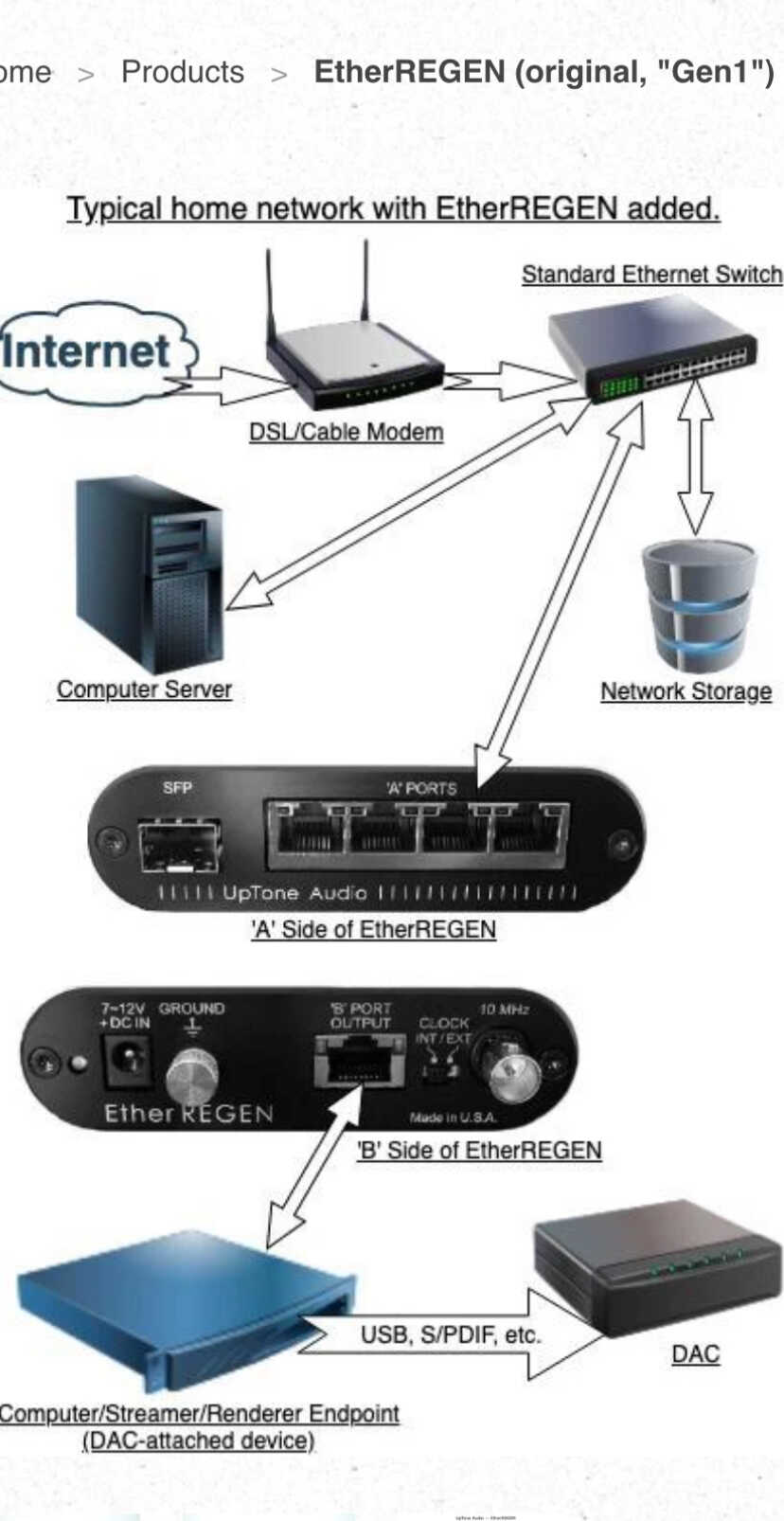
If you want to minimize noise at the destination, you’re looking for a short quality Ethernet cable connected to a switch with the best possible PSU powering it. A an additional benefit is switch like the EtherRegen that does galvanic isolation; it isolates the A side (dirty side) from the B side, (clean side).
I’m looking to improve, if possible, my simple network setup for audio. I have a router/modem unit that I’m stuck with as it’s the only one the ISP uses. And the way my house is situated, the router/modem is in the furthest room possible away from my audio setup. So I’m using a wifi extender to get the signal, then hardwiring from the extender into my Innuos streamer/server unit which supplies my music (mostly Tidal, some local files).
I don’t have any other things plugged into the wifi extender other than the Innuos. Is it possible to improve upon this configuration at all? I can’t hardwire from the main router/modem (impractical), I’ve already tried powerline network adapters (didn’t work/noisy). I’ve tried one of those metal box ethernet galvanic isolators that were all the rave, didn’t hear a difference. I currently do use a SOtM iso-CAT 6 isolator on the ethernet line, and linear PSUs on the main router/modem and the wifi extender.
In a nutshell:
Main router/modem → [wifi] → Wifi extender → [ethernet cable + SOtM iso-CAT 6 isolator] → Innuos Zen streamer/server
Any advice or thoughts for possible improvements? TIA
Honestly I’m not sure very much is going to give you a significant win.
Wifi isolates you from the Router, but potentially introduces it’s own issues, and you’ve got isolation between that and the streamer, so there isn’t much else you can do.
I did find some wifi extenders better than others, but that was more about them playing better or worse with the router, and resulting in some cases drop outs and loss of connection.
There will be better isolation solutions, but it’ll be incremental, and in all likely hood the money will be better spent elsewhere in the system.
If you have coax in your house you should go look at how it was run, before you decide to use it for anything…
A lot of coax was run by cable installers, and sometimes the work is really hideous.
as long as you don’t have 8 splices and 30 year old cable with corrosion and crud of course. My building in modern and still they had no presence of mind to run Ethernet but the coax is clean and I’ve got an outlet in every room with a star run to the utility closet. MoCA is giving me 2.5 gig which I’ve been enjoying.
@tunahulk I’d also probably go for a decent Mesh router with their dedicated extenders and a good PS at the Innuous end. Doesn’t have to cost a bundle either but by no mean use to AC plug in Wi-Fi extenders.
I think there is a big difference if you live in a building with multiple units vs a house, in the latter a lot of the coax is run after construction, often incrementally, and often on the outside of the building.
I have a run with about 20 ft of excess cable just coiled on a part of my roof, most of what I had was ripped out and replaced when I swapped from cable to directTV because it was so bad it was easier than trying to use what was in place.
This is probably the biggest win I run Modem to Mesh Router to Switch to Wired Devices.
I use a second Mesh Router as an extender in my living room running wired from there to the TotalDAC.
I have a couple of other Mesh Repeaters around my house for Wifi access.
Mesh solutions are dramatically better from a usability standpoint than old school extenders.
I use Eero, but I wouldn’t go out of my way to recommend it, it works fine, and it’s been problem free, but it requires an app to do anything, has no diagnostic info, and I much prefer web interfaces.
It’s a TP Link large-ish desk or wall mounted device with proper antennas for wifi broadcasting. It’s not a powerline adapter
AT&T. I actually did try MoCA at one point but the coax cabling within the house is super old and a bit of a rats nest. I tried to determine which coax cable was connected to the outlet in my audio room but couldn’t.
Not sure what you mean by AC plug in Wifi extenders. Do you mean powerline adapters? I’m not using those
My modem and router are an all in one unit and it seems unfortunately I’m kind of locked into it using ATT. I tried at one point to connect a mesh router to the router/modem unit and I’m not sure I configured it correctly in the settings of the modem/router. I did get the mesh unit to work with a corresponding mesh extender in my audio room though, despite me doubting the configuration settings, but I didn’t hear any real discernible improvement. I wish I could jettison the OEM modem/router unit altogether in favor of a separate modem and router but I looked into this and I don’t believe it’s possible with our service.
In most areas they are required to give you the option to use your own Modem.
You basically ask them what it needs to support, buy one off Amazon, then spend 60 minutes on hold getting them to connect it to their network, but once you do that, you no longer have to rent the shitty one they give you at some exorbitant markup.
For AT&T you must use their Modem, but you can configure it in pass through mode and use your own router
Yes I wouldn’t expect a big win, unless you were experiencing actual drop outs.
I replaced my single router with a mesh because the router started randomly hanging about once a month, and it was a pain to track down when that happened vs when my internet actually went out.
That’s what I tried to do with a mesh router. Couldn’t recall the term but yes, ‘pass through’. Not sure I did it correctly, however I was able to get the mesh router to talk to an extender in my audio room. And yeah, didn’t notice an appreciable improvement. Whether this was due to perhaps my configuration not being 100% correct I don’t know, but since I was at the end of my technical rope, my brain was starting to hurt and my patience was about tapped, I called it a day and returned the mesh stuff.
I’m not getting drop outs, internet is pretty solid for the most part
No I wouldn’t expect any quality change this really is a place where bits are bits, you’re just wirelessly transmitting them from one place to the other.
There are implementation differences, but there isn’t really any reason to believe the Mesh network would be any more audiophile friendly than a good conventional extender. And you galvanically isolated to some extend from it by the SotM isolator.
Where Mesh networks win is in the ability to hand off signals between devices and in latency, neither of which should matter to a streamer.
Where I had issues with various extenders was just intermittent connection issues, where music would randomly stop playing. Which probably has as much to do with the router QoS settings as much as anything.
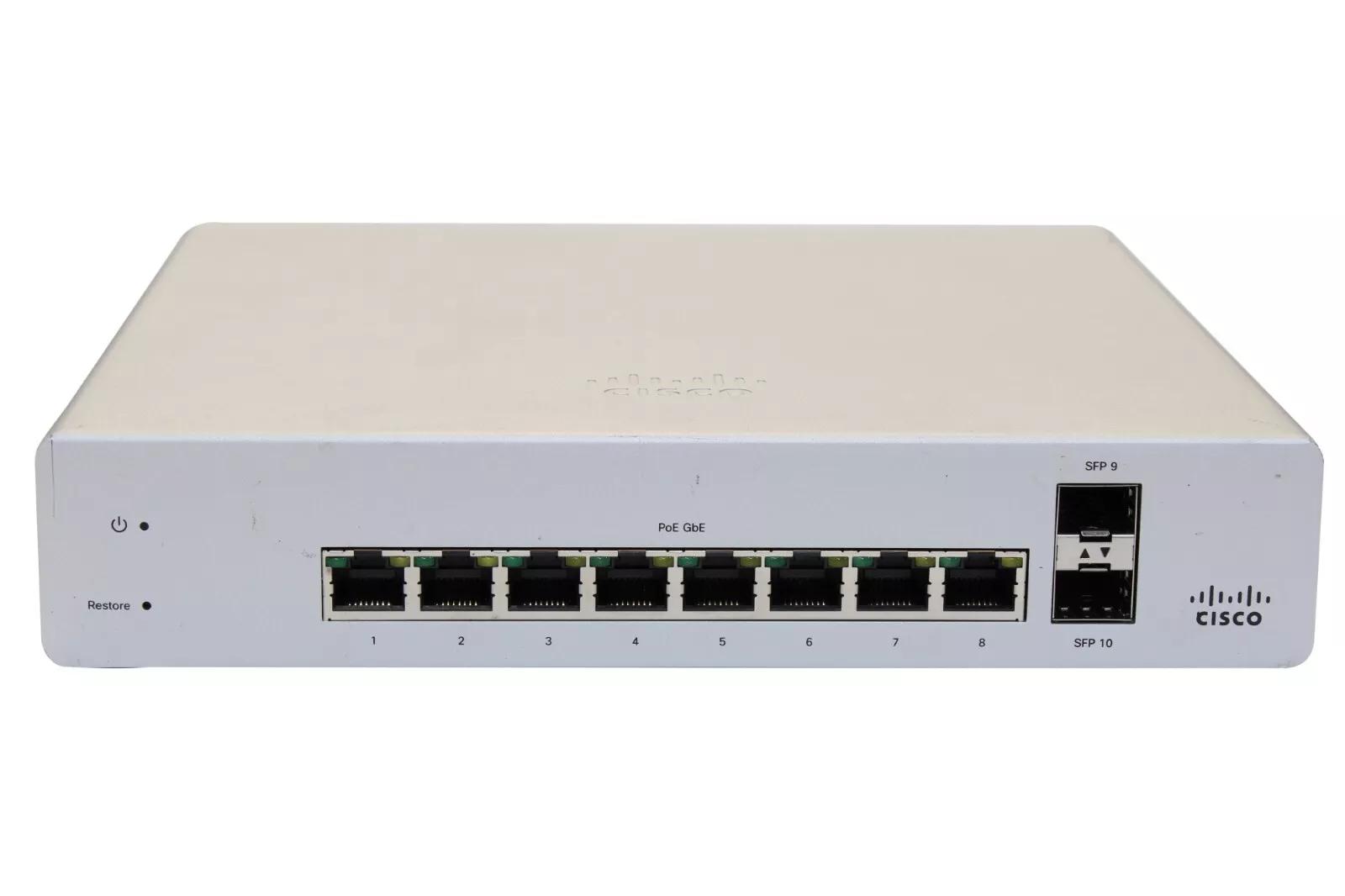
Been trying to clean up my network, reduce the amount of boxes and power supplies sitting in my office was looking at switches with dual SFP and at least 4 Ethernet ports. You can’t swing a dead cat on eBay without hitting one of these for around $50 bucks then I come to find out that they did very well in a switch shootout the guys over at Alpha Audio did so I ordered one. I’ll be able to get three boxes with power supplies down to one box and one power supply. Neat-O!
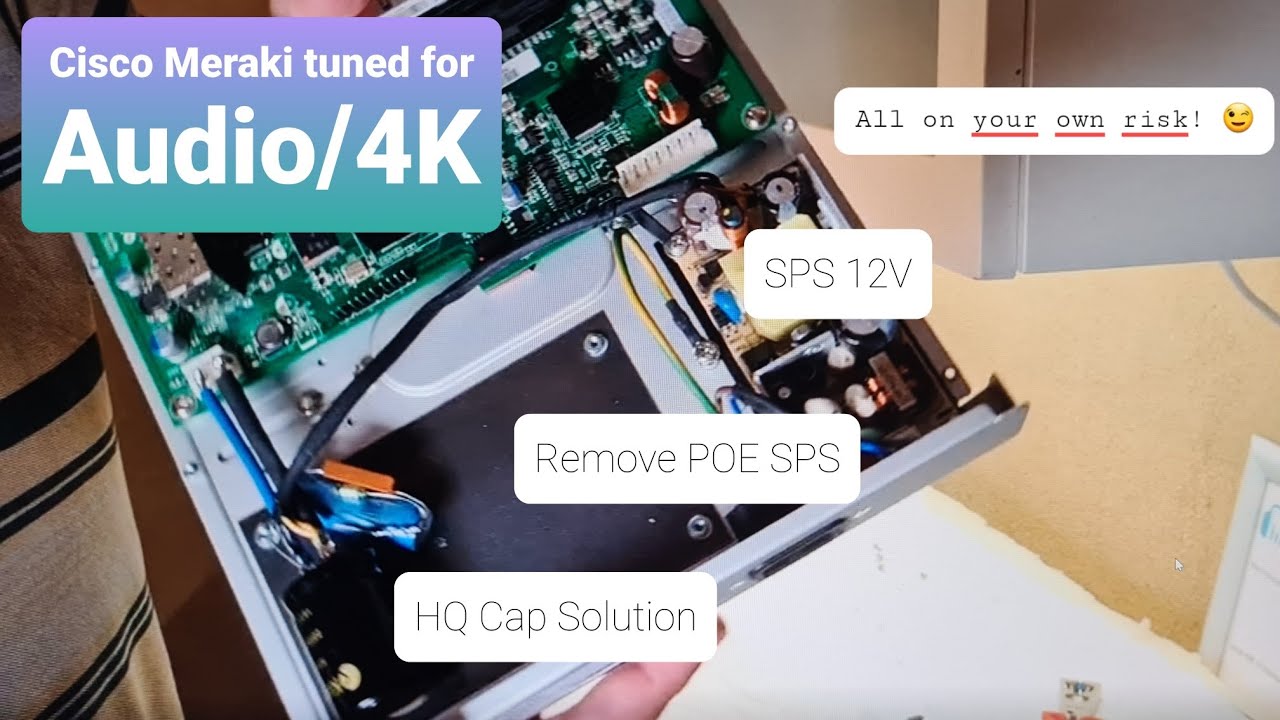
A little more looking into it after I pulled the trigger, I find they’re supposed to improve quite a bit if you remove the PoE power supply inside and further still if you change the std. AC power supply with a good audio quality12v so I’ll document that as it should be pretty easy and might help anyone here looking to tinker.
The only audio machine that would hang off this is my desktop which may benefit, who knows. I only use headphones and don’t ever listen critically but I do all my late night work sessions while listening to music so I’ll see if I notice any improvement. Won’t be doing anything that isn’t done on the cheap so I’ll see how far I can stretch it. I may do another one for my TV and Apple TV box as those may improve a lot since I’ve just got a cheap switch there.
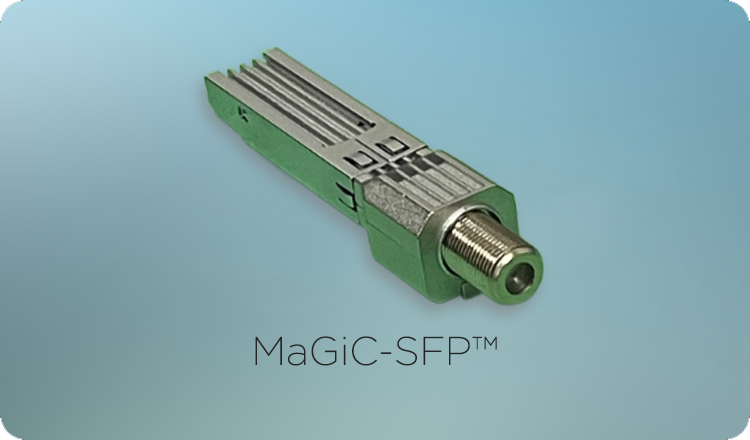
Forgot to mention the star of the show, what’s enabling me to do all of this consolidation, it’s a MoCA to SFP adapter.
I’m not sure, but apparently it still needs some licences for it to work.
If so, that would be pretty unfavourable.
Could you go straight to the LHY switch or the Gustard N18 pro.
The latter would still have a clock built in.
I’m interested in how this works for you, I’d like a switch with 2 SFP ports, would simplify my setup somewhat.
I see you have to use the Cisco dashboard to manage it, does that require a subscription?